
Desktop labelERP Settings
Set the rules once

ERP Configuration

Manage global defaults and cross-module configuration so every transaction follows the intended company, currency and operating rules.
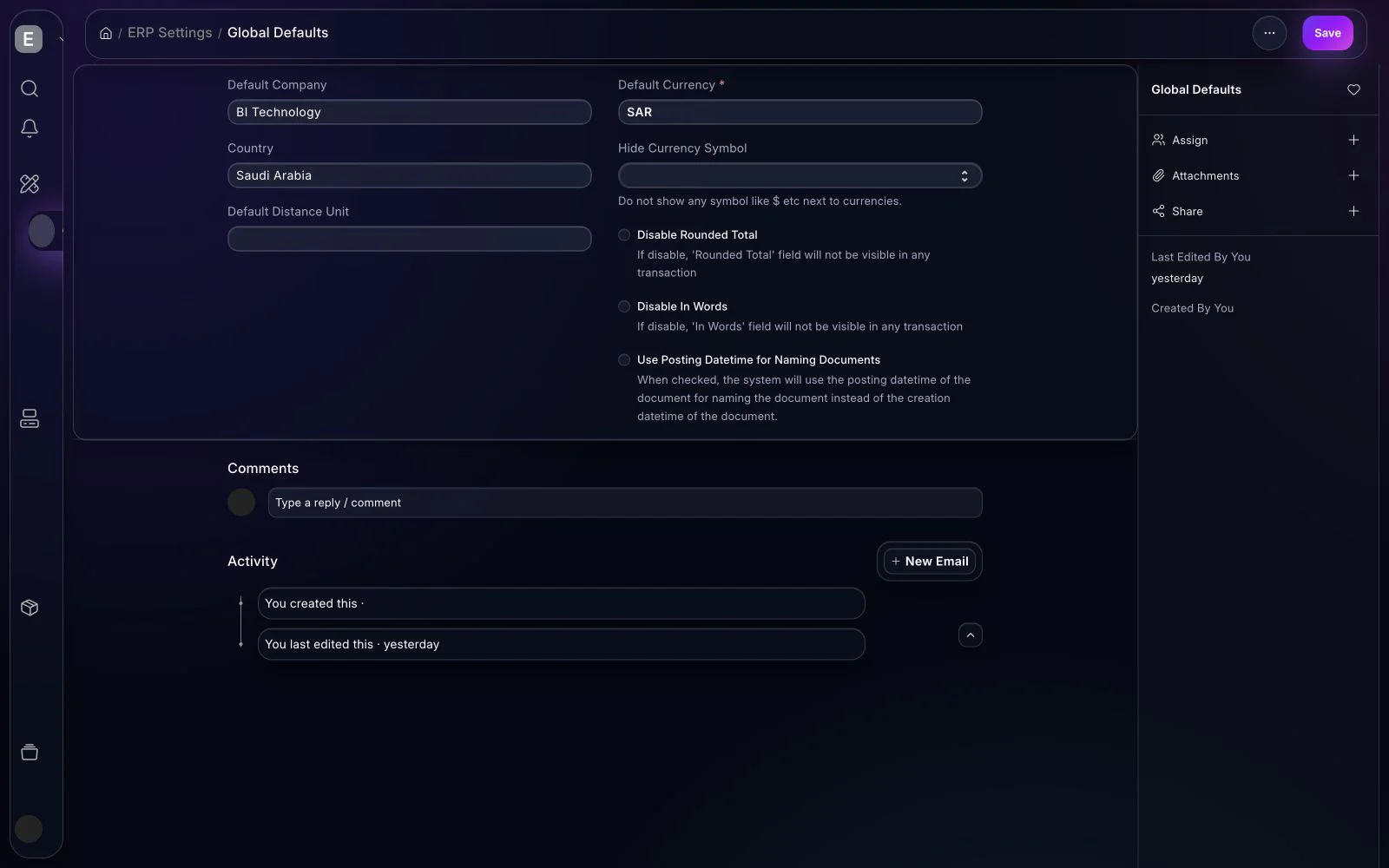
BITEX ERP Settings workspace in the dark interface
ERP Settings centralizes the defaults shared by transactions across the platform.
BITEX ERP

Core capabilities

Connected capabilities that carry the workflow from setup through operational follow-up.

01

Global defaults

Control company, currency, country and shared transactional defaults.

02

Naming & documents

Standardize numbering, statuses and document behavior across teams.

03

Module configuration

Align selling, buying, stock, finance and manufacturing settings.

04

Controlled change

Review configuration impact and limit sensitive settings to authorized roles.

Representative workflow

From setup to an operational result

  1. 1Confirm company operating rules
  2. 2Configure shared defaults
  3. 3Validate representative transactions
  4. 4Govern future configuration changes

Reports & insights

  • Configuration and change review
  • Document defaults and numbering
  • Cross-module consistency checks

Business outcomes

Consistent transactionsSafer administrationFaster onboarding
BITEX ERP

See this feature in BITEX

We’ll prepare a walkthrough around your data, roles and approval paths.

Book a Demo